
Respect my work! or BTC: 1MTFbBSKrocPK7G6GKfG8RoTw5N57WnnNa  If you have paid donate send me e-mail with Your data or transaction number to receive an access code to articles with limited access. |
PmWiki /
Assigning new role to a userAfter defining new user role in system (click here to see how to do that) you can assign it to any user. To do that you need to navigate to Administration->List of users, select user from list and then press edit without changing password:  After selecting appropriate icon the following window will be shown: 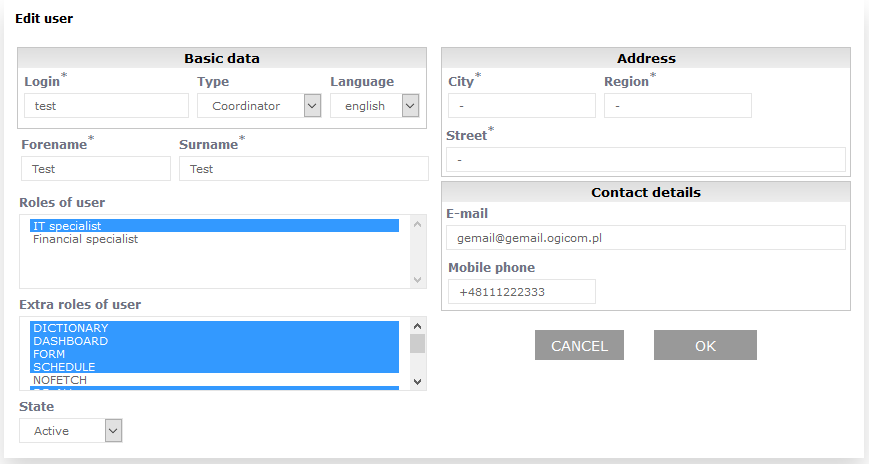 Now, holding pressed Ctrl key, with left mouse button you need to point in section Roles of user role that you want to assign, i.e. Financial worker. You may to add permisson to another object in system in section Extra roles of user. Important!
If you select mark new role without holding Ctrl key pressed, user will have only one - selected - role assigned and any settings made before that will be lost This page may have a more recent version on pmwiki.org: PmWiki:UserRoleRej, and a talk page: PmWiki:UserRoleRej-Talk. |