
Respect my work! or BTC: 1MTFbBSKrocPK7G6GKfG8RoTw5N57WnnNa  If you have paid donate send me e-mail with Your data or transaction number to receive an access code to articles with limited access. |
PmWiki /
Registering new userTo register new user you have to find option Administration->Add user. After choosing this option you will see window as below: 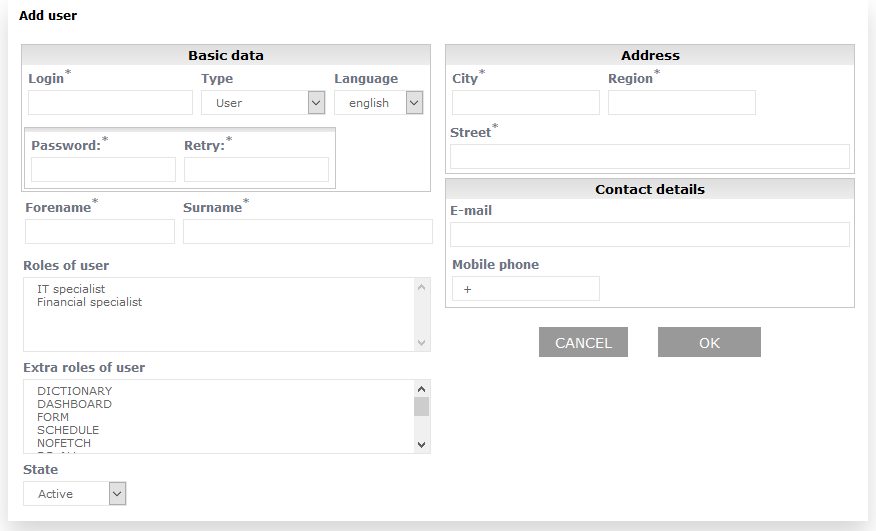 Characted *(star) next to fieldname tells user about fields that need to be filled. Informations that have to be entered when registering new user are:
and user roles, which set report rights for this specific user (more on user rights can be found here). This page may have a more recent version on pmwiki.org: PmWiki:UserRej, and a talk page: PmWiki:UserRej-Talk. |