
Respect my work! or BTC: 1MTFbBSKrocPK7G6GKfG8RoTw5N57WnnNa  If you have paid donate send me e-mail with Your data or transaction number to receive an access code to articles with limited access. |
PmWiki /
JDBC configuration - SQL Express 2012SQL Express 2012, unfortunately, does not allow to connect over TCP/IP. However, we can add connection to the database by defining Windows ODBC datasource (DSN). Important!
System ProReports must be running on the same server as the database server SQL Express 2012 1. Select option Start and next Control Panel 2. Then Administrative Tools and from list Data sources (ODBC) 3. We define a new DSN: a) 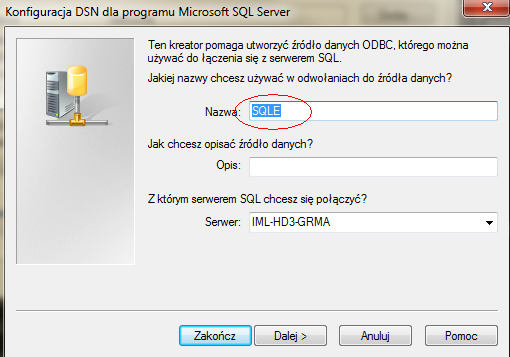 b) 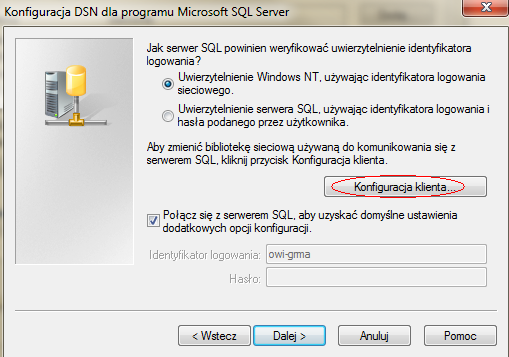 c) 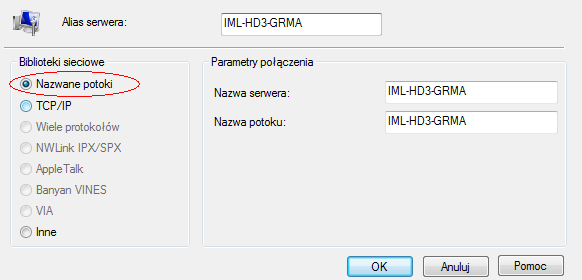 d) 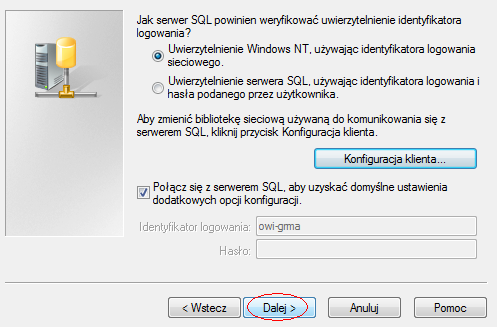 e) 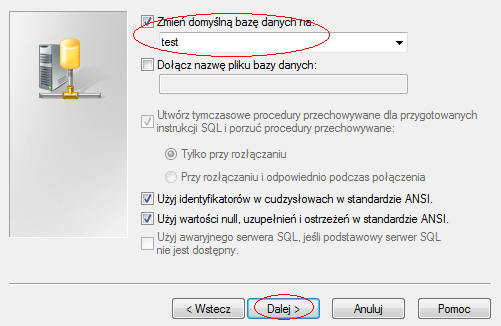 f) 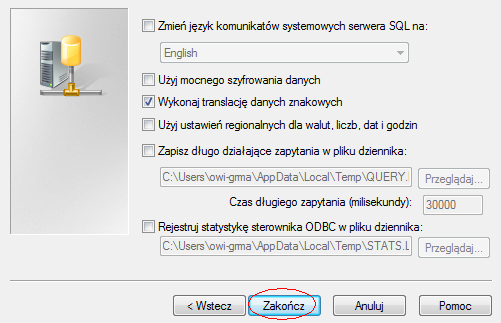 4. In system ProReports we define the data source (if you don't know how to do it read about it here): 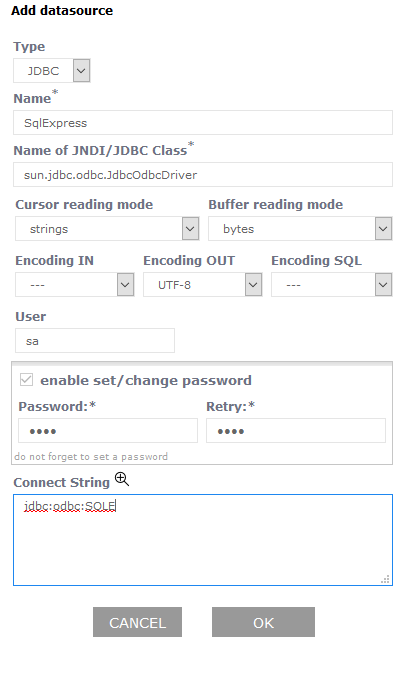 (field values Password and User can be any). Using the option Test we can check connection to the database.
This page may have a more recent version on pmwiki.org: PmWiki:SQLE, and a talk page: PmWiki:SQLE-Talk. |