
Respect my work! or BTC: 1MTFbBSKrocPK7G6GKfG8RoTw5N57WnnNa  If you have paid donate send me e-mail with Your data or transaction number to receive an access code to articles with limited access. |
PmWiki /
Example of Internal XLS reportDownload file TESTXLS.prs, if you want to import We want to create report that basing on internal ProReports database will generate file *.xls containing several columns with user data. Example uses plugin xlsrep.php which will greatly help in creating files for MS Excel. At first we have to register report using prepared earlier form named LOGIN. When registering from plugin list (Other files) we choose plugin xlsrep.php: 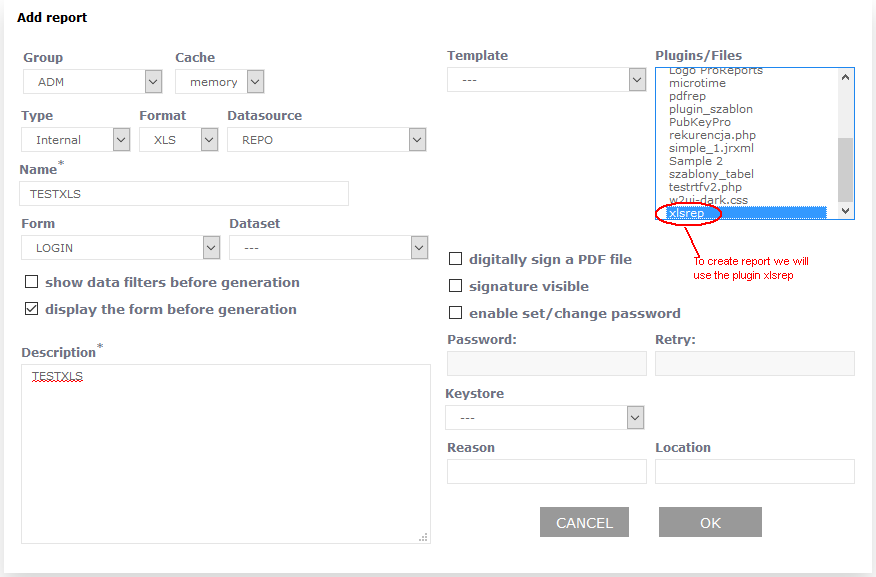 Next we need to register elements of a report:
When registering elements is good practice to use enlarged edit window (icon 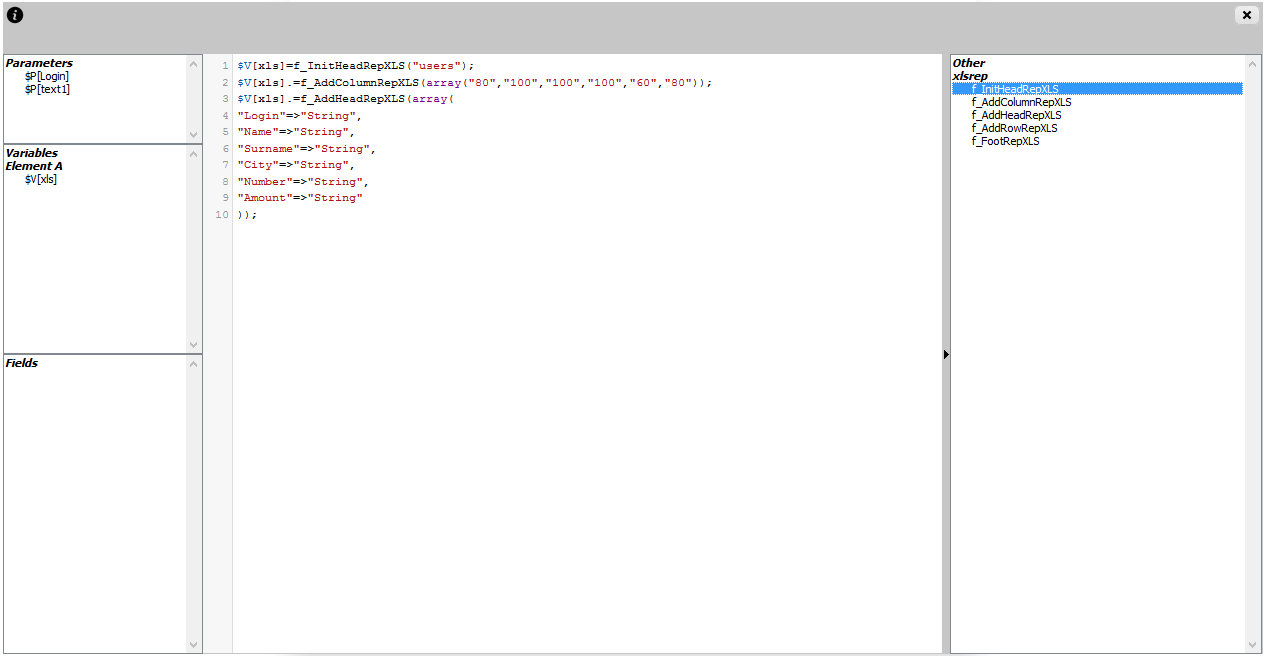 Clicking on selected element will input linked with elements text fragment in edit window in place pointed by cursor. Thanks to that we speed up process of creating a report, because there no need to memorize functions available in plugin and parameters linked with it.
After compiling report we can run it by selecting from menu option Execute: 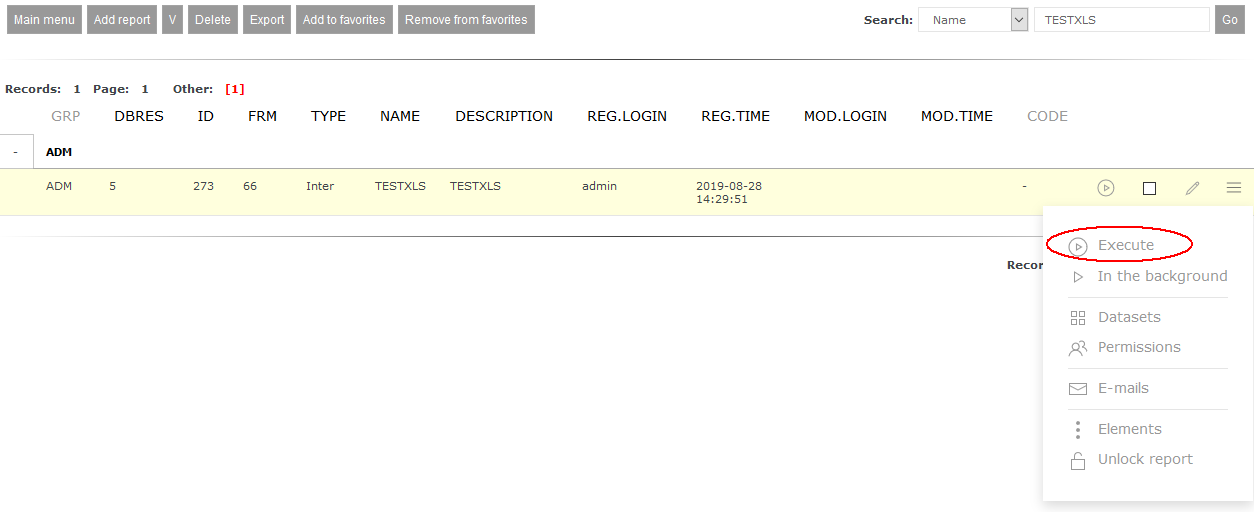 Before generating report the form linked with it will be shown: 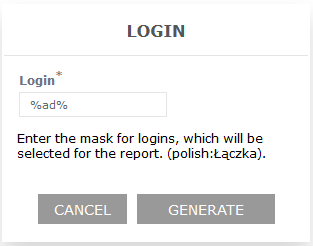 Using button Generate begins report generation process which end in creating *.xls file.  This page may have a more recent version on pmwiki.org: PmWiki:RepInternalXLS, and a talk page: PmWiki:RepInternalXLS-Talk. |
 ), where available are following tools