
Respect my work! or BTC: 1MTFbBSKrocPK7G6GKfG8RoTw5N57WnnNa  If you have paid donate send me e-mail with Your data or transaction number to receive an access code to articles with limited access. |
PmWiki /
Internal report based on RTF templateDownload template RTF karta.rtf In system ProReports it is possible to prepare a report based on the template file *.rtf. This type of report can be useful for creating different types of contracts, annexes, applications, print postage, etc. Creating such a report you have to make tree steps:
ExamplePrepare templateTemplate *.rtf is a regular file, the fields download from a data source must be inserted as form text fields (see below): 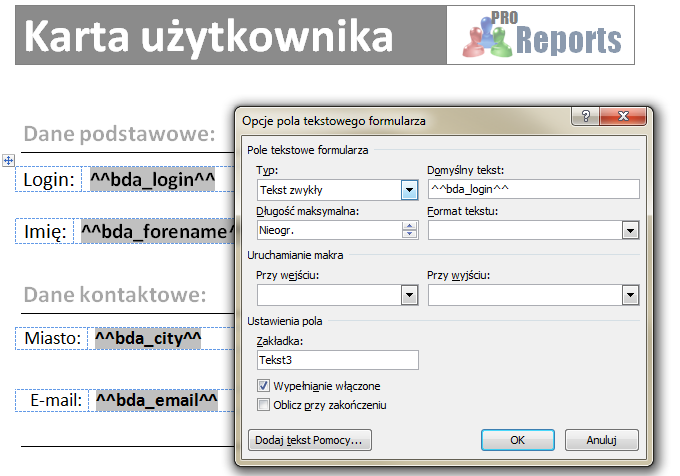 format: Attach templetePrepared template attach to the reporting system like other auxiliary files (look here). Create a report with an indication of the reporting system prepared templateWe register report indicatiing in field Template previously imported template *.rtf. 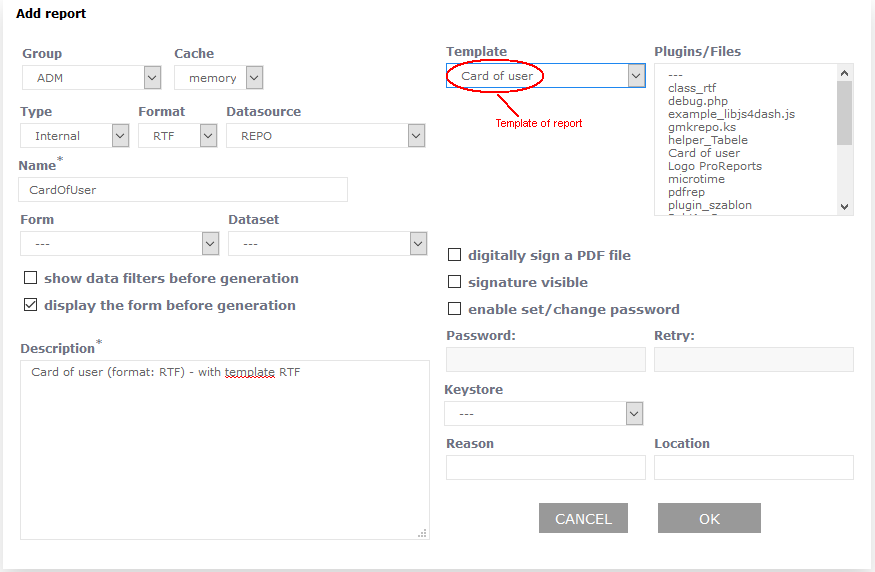 Next We register elements of report:
As a result, run the report is created file *.rtf, where the symbols are replaced with values from the data source: 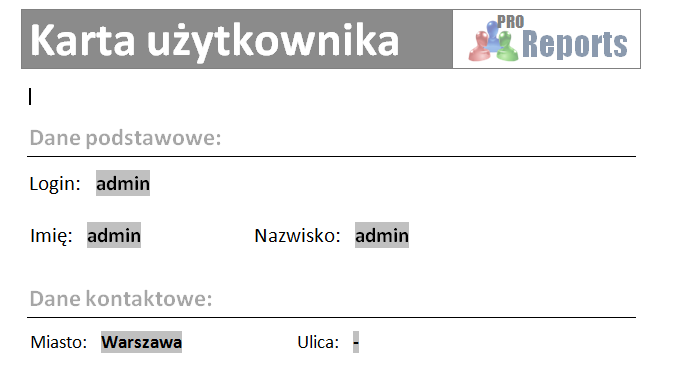 This page may have a more recent version on pmwiki.org: PmWiki:RepInternalRTFS, and a talk page: PmWiki:RepInternalRTFS-Talk. |