
Recent Changes - Search:

ProReports

edit SideBar

Respect my work!
If you are using commercially
ProReports please
bay a license:

or

        BTC: 

1MTFbBSKrocPK7G6GKfG8RoTw5N57WnnNa

If you have paid donate send me e-mail with Your data or transaction number to receive an access code to articles with limited access.

Adding access rights to a report

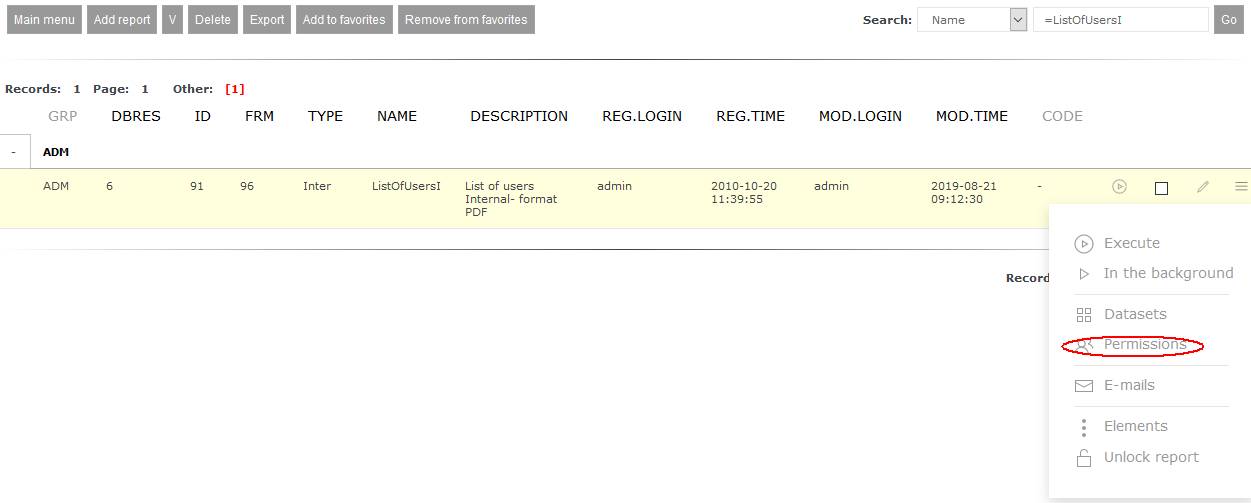
Access rights to a report are added using report list (Reports->List of reports) and then from report's menu by choosing option Permissions:
Next you have to move to list or access registered for the report:
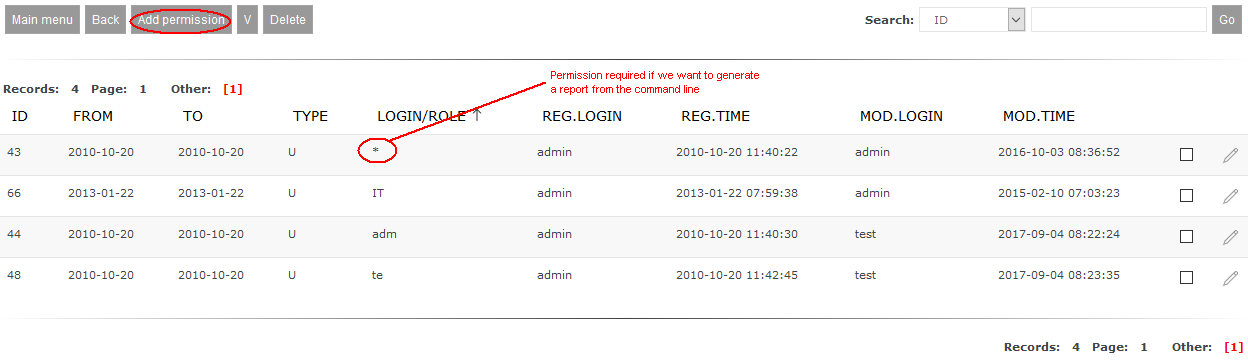
Adding new right is done by function Add permission. After selecting it the form allowing registering new access right will be shown:
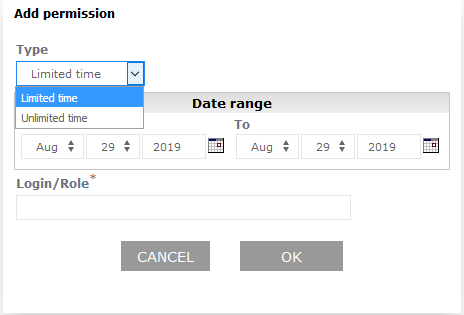
System allows to register following rights:

  • for unlimited time (dates are ignored)
  • for limited time - in this case you have to select time span when this authorisation works

In field Login/Role you can enter:

  • user's login
  • part of user's login (then rights will be granted to this users whom login contains of entered string, e.g. when you enter la, then rights will be given to user ala as well as user lola)
  • name of role defined in system (dictionary ROLE_USR - check here)
  • part of name of role defined in system (then rights will be granted to users that roles match the pattern)
  • value * (star) - access right required when report can be generated out of reporting system, e.g. using wget software (check here)


This page may have a more recent version on pmwiki.org: PmWiki:DefPermRep, and a talk page: PmWiki:DefPermRep-Talk.

Edit - History - Print - Recent Changes - Search
Page last modified on August 29, 2019, at 08:45 AM EST