
Respect my work! or BTC: 1MTFbBSKrocPK7G6GKfG8RoTw5N57WnnNa  If you have paid donate send me e-mail with Your data or transaction number to receive an access code to articles with limited access. |
PmWiki /
Copying formSometimes you want to create new form that is similar to existing one. Thanks to copying option you can significantly speed up the process. After select desired form (in option Resources->Form list) you need to select from menu option Copy: 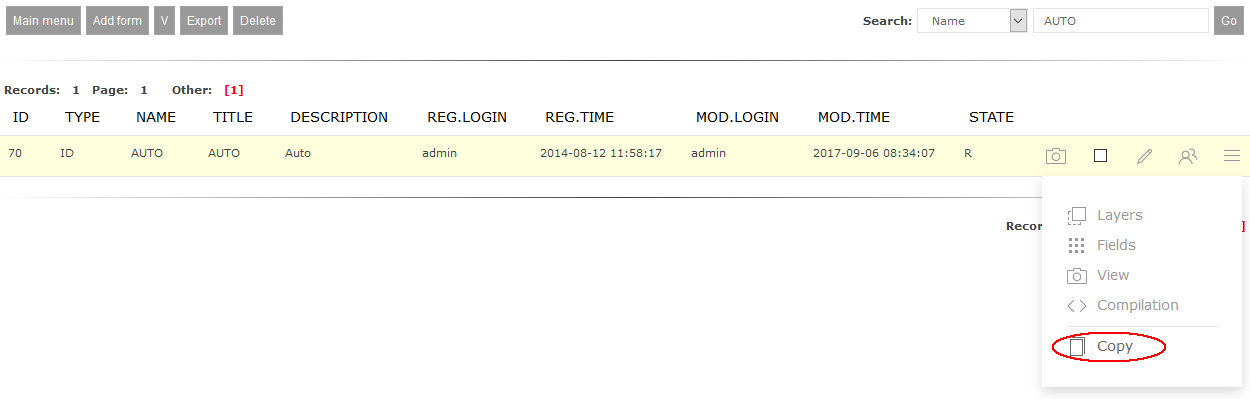 After that you will se a form with additional field Form name, where you need to enter new form name. Pressing Save key will lead to saving form with new name. 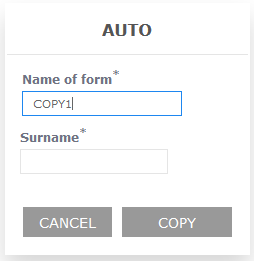 Now you can edit newly created form to adjust it to your own needs - you can add new desktops (see how to do that here) and fields (see how to do that here). This page may have a more recent version on pmwiki.org: PmWiki:CopyFormsRej, and a talk page: PmWiki:CopyFormsRej-Talk. |