
Respect my work! or BTC: 1MTFbBSKrocPK7G6GKfG8RoTw5N57WnnNa  If you have paid donate send me e-mail with Your data or transaction number to receive an access code to articles with limited access. |
PmWiki /
Compiling formAfter creating form it has to be compiled. This is required due to:
Important!Each and every change of existing form requires recompiling and reediting (edit with save) report to which it's attached. Other in report there's still gonna be used previous form version. Reediting lead to changing compiled form in report definition and as it goes - change of used form.. To compile form in option Resources->Form list you need to choose correct record by selecting in menu Compilation: 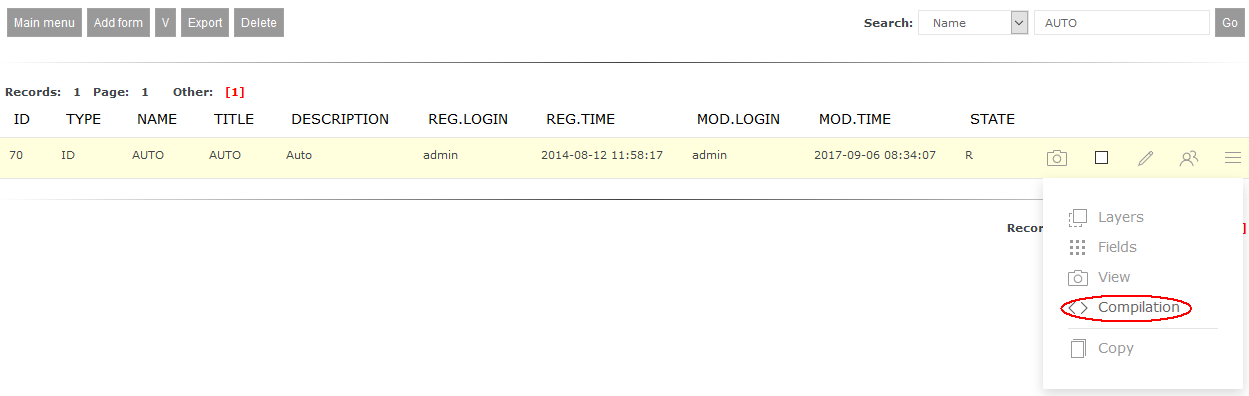 In displayed form you have to fill required fields and use button Compile form: 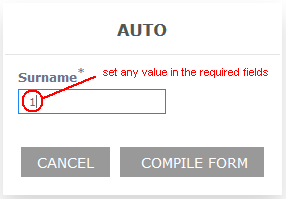 This page may have a more recent version on pmwiki.org: PmWiki:CompFormsRej, and a talk page: PmWiki:CompFormsRej-Talk. |